

Run 3: a runner that is really about the map
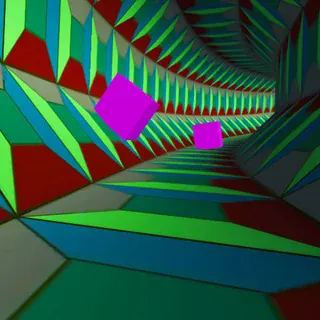
The first thing Run 3 teaches you is how to fall. The tunnel is made of tiles floating in space, the runner never stops, and a missing tile means a drop into the stars. The second thing it teaches you is the escape: run sideways onto a wall and the world turns with you, so the wall becomes the ground and the gap you were about to fall into is suddenly beside you instead of beneath you.
That one idea carries a very long game. Explore mode is a map rather than a list. The main tunnel runs through numbered levels, and along the way side tunnels branch off with their own letters and their own tricks — dark tunnels where you see only a little way ahead, tiles that crumble after you land, boxes to push, sections built for one particular character. Many of them have names, and several lead places the main tunnel does not.
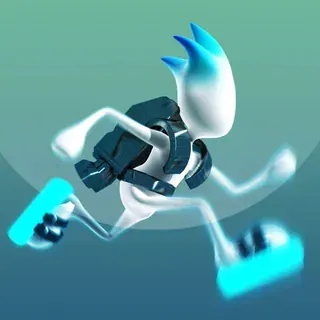
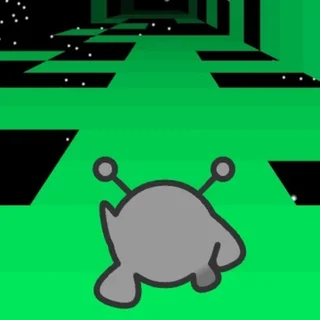
Power cells collected on the way unlock new characters, each with a different way of moving: some jump higher, some run faster, some can do things nobody else can. Infinite mode strips all that away and gives you one tunnel that keeps going until you fall. Your map, characters and power cells are saved in the browser, and Run 1 and Run 2 are on this site as well.
Controls & mechanics
| Action | Control | Purpose |
|---|---|---|
| Move | Left / Right or A / D | Across the tunnel floor — and onto a wall to rotate the tunnel |
| Jump | Space or Up arrow | Hold for a longer jump; you can rotate while in the air |
| Rotate | Move onto a side wall | The wall becomes the floor; works on the ground and mid-jump |
| Pause and map | P | Opens the map, the character list and settings |
| Retry | Space after a fall | The level starts again from its beginning |
| Modes | Explore or Infinite on the menu | Explore follows the map; Infinite is one endless tunnel |
Getting through Run 3
- Rotate instead of jumping: When a gap is too wide, look sideways. Stepping onto the wall usually puts solid tiles under your feet without a jump at all.
- Keep moving on grey tiles: Crumbling tiles fall shortly after you touch them. Do not stop or hesitate on them — plan the next step before you land.
- Read the tunnel shape: Square tunnels, flat ribbons and wide cylinders all rotate differently. Learn how many steps it takes to reach each wall.
- Take the side tunnels: Lettered side tunnels branch off the main route. They hold power cells and unlock things you cannot get otherwise.
- Match the character to the level: If a level feels impossible, check whether it was built for someone else — a character who jumps higher or runs faster may make it easy.
- Use the map: P shows where you are and which branches you have not finished. It is the quickest way to find what is left.
Key features
- Gravity that follows you: Step onto any wall and the tunnel turns so it becomes the floor.
- A map, not a list: Explore mode branches into named tunnels and lettered side paths.
- Characters to unlock: Power cells buy runners who jump, run and move in different ways.
- Infinite mode: One endless tunnel for high scores.
- Saves in the browser: Map progress, characters and power cells stay on this device.
- HTML5, no plugin: The Flash original was rebuilt in HTML5; it runs in a Chrome tab.
Game info
- Title: Run 3
- Developer: Joseph Cloutier (Player 03)
- Category: Run Series
- Platform: Web browser (HTML5)
- Build: Joseph Cloutier (Player 03) · 2014 · HTML5 build served from run3.click
Pro tip: When the level ahead goes dark, count tiles instead of looking for them. The tunnel keeps the same shape in the dark, so the rhythm you used in the light still works.